Map Page
Map Info
Checking the Map page will provide you with a short overview of information about a map.
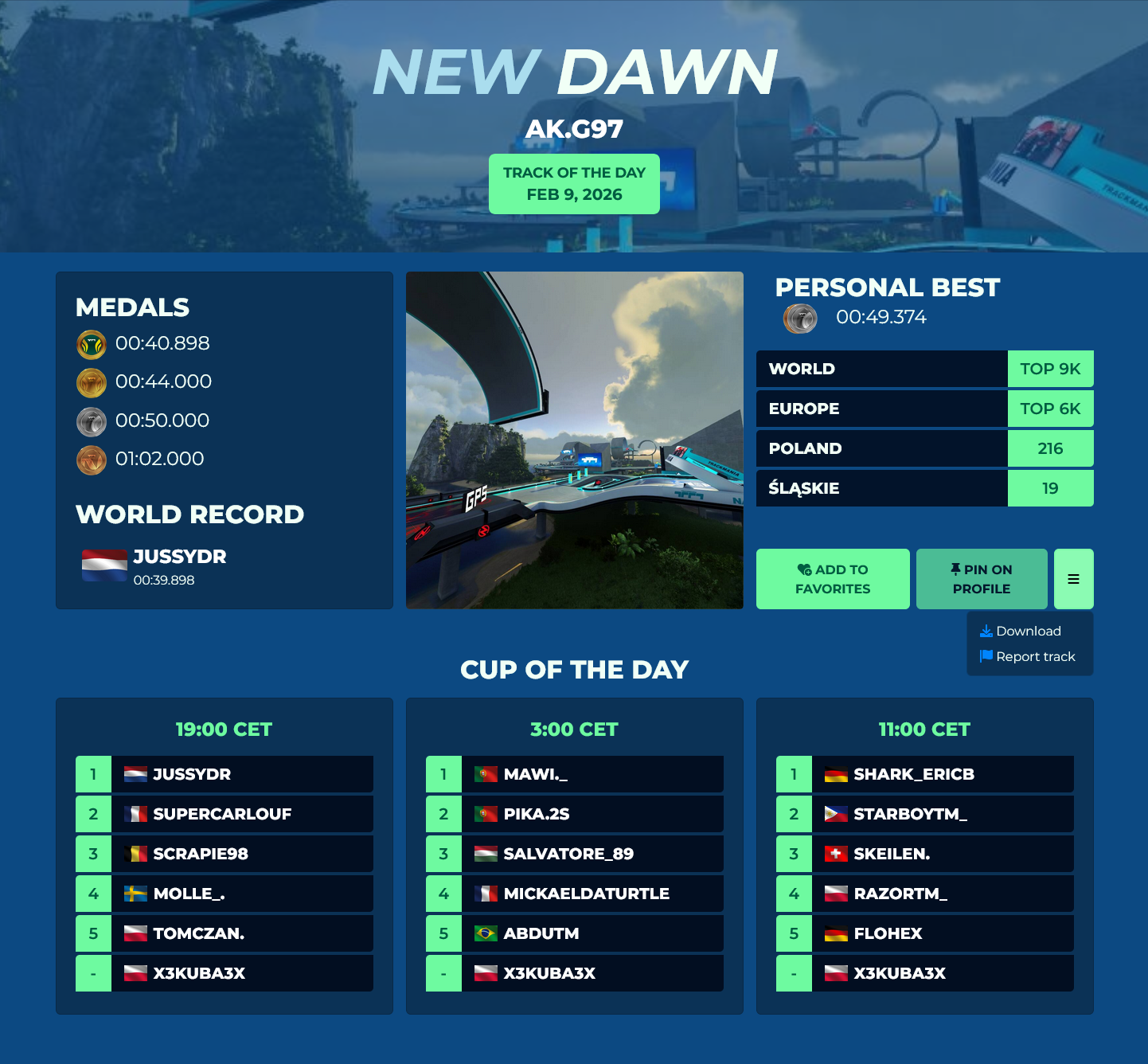
The banner contains the map name and the author. On official campaign and TOTDs there is an additional information displaying the map type and campaign season/TOTD date.
Information on the left part of the page depends on the track type:
-
For Race type maps, this section displays the times of all medals as well as the world record.
-
For Platform type maps, this section displays the max respawn count for all medals.
-
For Stunt type maps, this section will display the points required for all medals as well as the world record.
The right side displays your statistics on the map (Personal best, World/Continent/Country/Region rankings) as well as buttons to add the map to your favorites, pin the map to your profile, download the map and report the map.
If the map is a TOTD, there will be another section at the bottom with the top 5 rankings and your placement for each Cup of the Day.
Map author admin
If you are the author of the track, there will be two more sections below the map information.
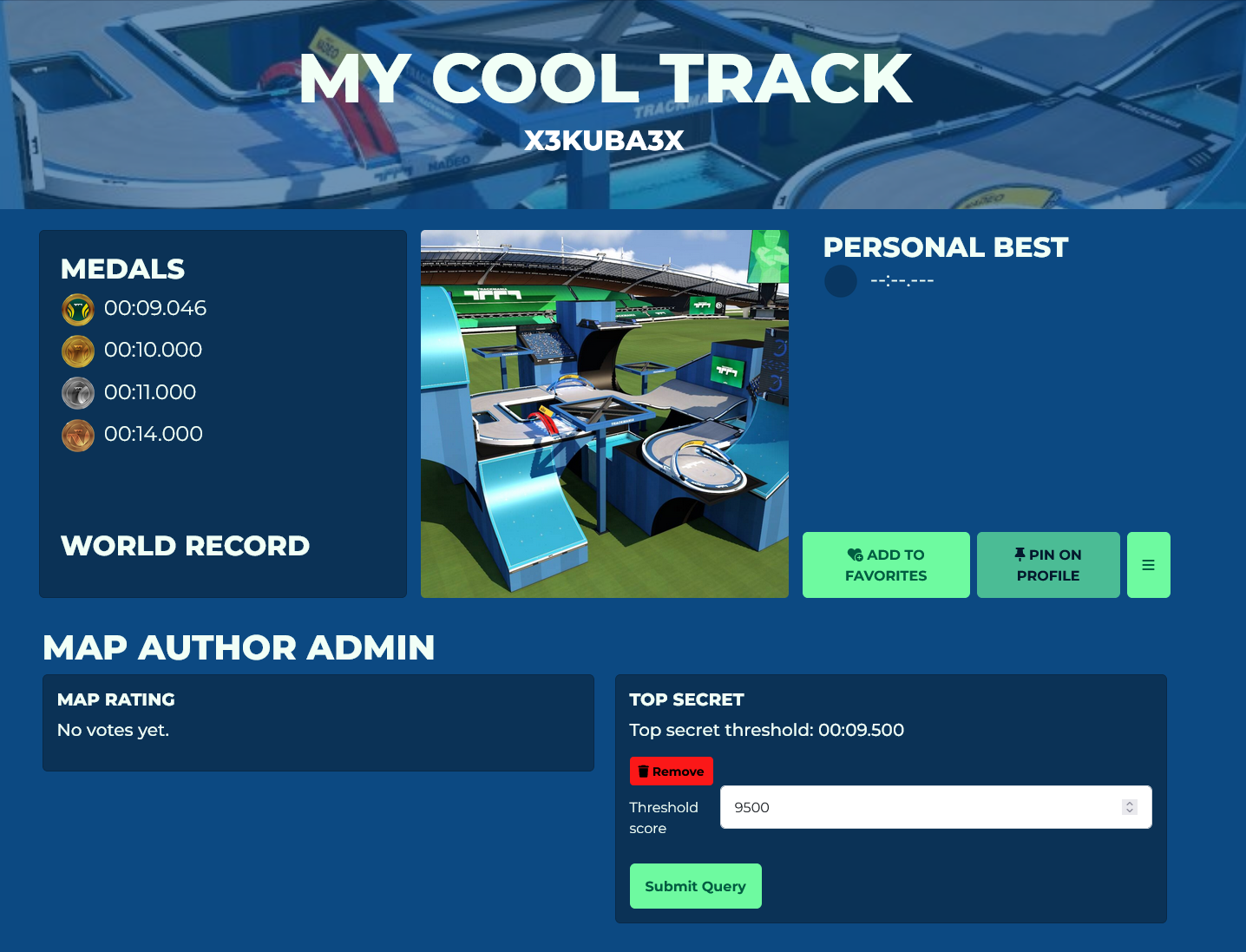
The map rating section displays a percentage of likes and dislikes given by players on your map (not to be confused with map ratings in Map Review).
The Top Secret feature prevents viewing ghosts and times of records set on your map. The value in the Threshold score field will determine the cutoff at which records will be considered secret (the threshold must be entered in milliseconds, for example 12500 -> 12.500s).
Other players' records faster than the set time will display SECRET as the score and the ghost will be unwatchable. Only the records tab is affected, not the in-game leaderboard timer.
Current Weekly Shorts will always have their Top Secret threshold score set as the map's Author Time. This restriction lasts until the next Weekly Shorts rotation.